Your storages full. Your PC still yours.
Raid Workshop farms Clash of Clans in Google Play Games for Windows. It splits your army across the richest storages, spends the loot on walls and upgrades, then switches to your next account and does it again. In the background, while you keep using your mouse.
Gold per hour
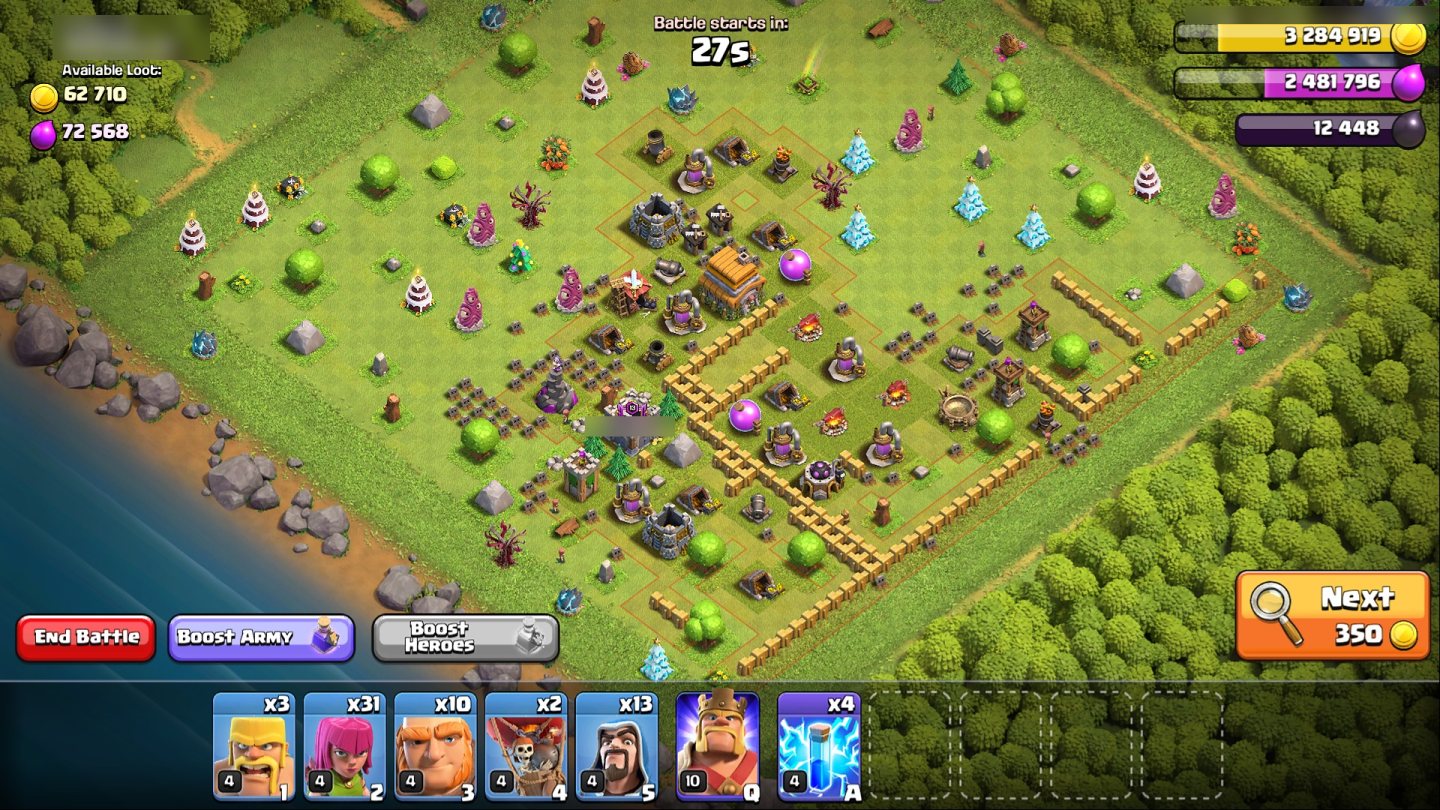
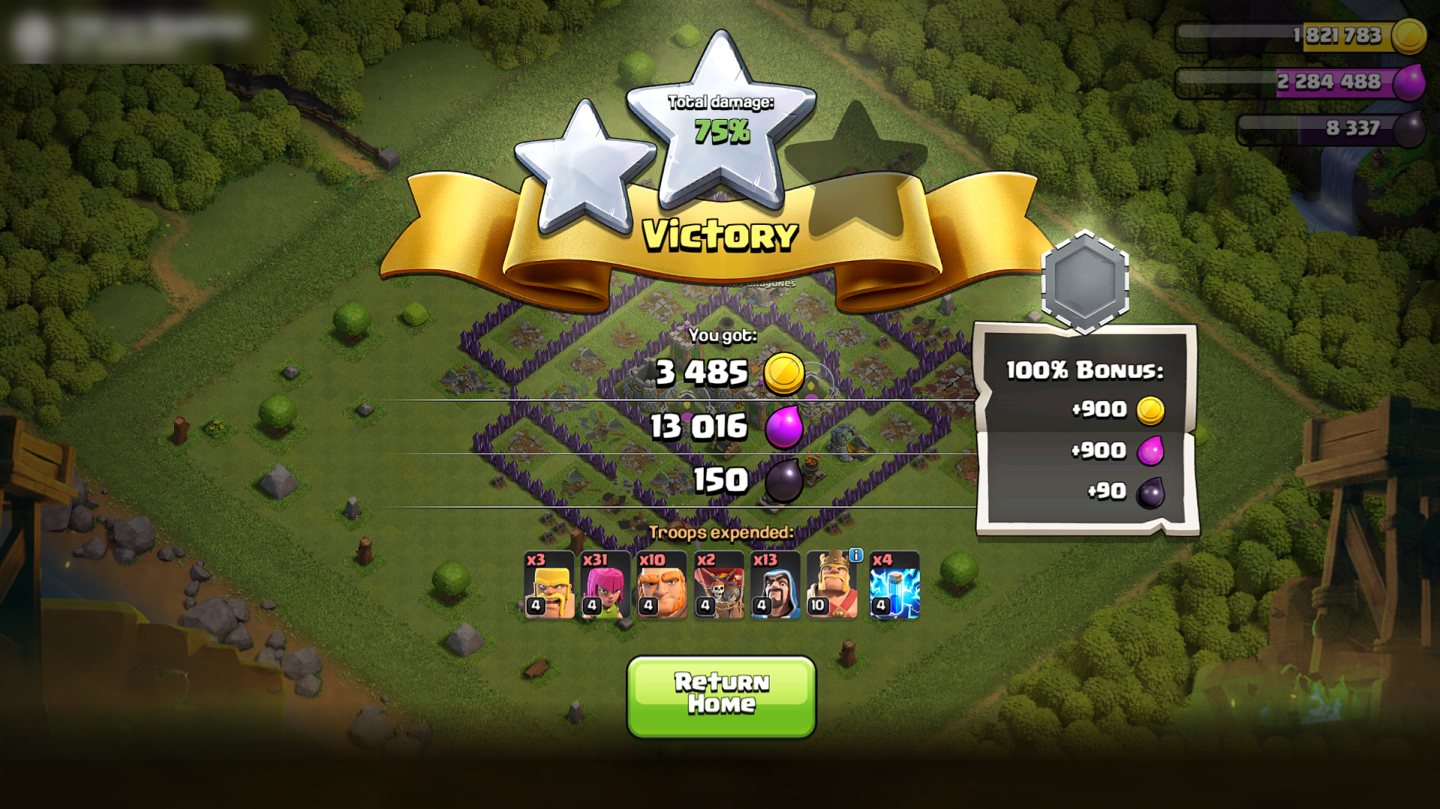
How a raid goes
- Scout and skipReads each base and skips anything below your gold, elixir and dark elixir minimums.
- Split the army across the lootGroups the storages into targets and gives each its own drop spot. Giants lead at the richest two, wizards stand behind, the rest spread wide.
- Bank it and spend itBack home it collects mines and pumps, places free walls and upgrades them, and starts building upgrades.
- Switch accountsWhen this account's time is up it opens Supercell ID, picks your next village and starts over with that account's own army and plan.
Every account, its own plan
List your villages once. Raid Workshop farms them one after another, switching through Supercell ID by itself, and keeps a running total for each.
- Own army, upgrades and walls per account: Fill on one, Electro Dragons and Maxer on another.
- Own farm time: 20 minutes on the alt, 2 hours on the main.
- Profile pictures and Town Hall read straight from your account list.
- Builder Base collected on the way, and a failed switch just skips to the next account.
Everything a farming day needs
One window and one Start button. Every step shows up in the live activity feed.
Several accounts
Switches through Supercell ID by itself and farms each village with its own army, plan and time.
Smart troop placement
The army is shared between up to four drop spots in front of the richest storages, never stacked on one tile.
Fill army
Uses whatever you trained. Every card is dropped until it is empty, heroes go in with the tanks.
Loot filter
Only attacks bases worth it, and keeps a battle going until the loot stops coming in.
Walls, placed and upgraded
Puts down free wall pieces for you, then upgrades walls with gold or elixir, most expensive first.
Upgrades and research
Keeps builders busy on the priciest upgrade it can pay for. Maxer or Rusher, set per account.
Weekly schedule
Paint your play hours, pick days off, and choose human-like breaks with a random length every time.
Discord alerts and control
A picture of the game when something goes wrong, !screenshot any time, plus pause, resume, stop and start.
Stop at a goal
Stops after the gold or elixir you set, or when the storages are full and no builder is free.
Plays when you would
Set the hours for each day, skip the days you choose, and let the start and end times drift a little every day.
- Days off from a calendar.
- Human-like breaks: short ones every half hour or so, and a long one every few hours.
- Saved configs to switch between setups, and export to share them.
Running in five minutes
Buy a plan
Pay with card, Apple Pay or Google Pay. Your licence key shows up right away and is emailed to you.
Download the app
One file, RaidWorkshop.exe. Run it, nothing else to install. It tells you when an update is out.
Paste your key
Open the Licence page, paste the key, choose your army and press Start. The key is tied to that PC.
Pick your plan
Every plan has every feature. One PC per key. Plan time starts when you activate.
Secure checkout by Stripe. We never see or store your card details.
Questions
What do I need?
Windows 10 or 11, and Clash of Clans in Google Play Games for Windows with the window in 16:9 (for example 1920x1080). Raid Workshop is a single RaidWorkshop.exe: no Python, no emulator.
When do I get my key?
Immediately after payment, on the confirmation page and by email.
Can I use my PC while it farms?
Yes. The game can sit behind other windows (not minimised) and your mouse stays free.
How do updates work?
The app checks for a new version when it opens and updates itself in one click. Your key, settings and accounts carry over.
Can I move my key to another PC?
Yes, ask on Discord and we reset it. A key works on one PC at a time.
Does the plan time start when I buy?
No, it starts the first time you activate the key.
How many accounts can it farm?
As many as your Supercell ID switch list holds. Add them by village name, set a time and plan for each, and press Test switch once to check.
Can my account be banned?
Yes. Automation breaks Supercell's Terms of Service and can lead to a ban. Schedules and breaks only make the bot look less automated; nothing makes it safe. Use it at your own risk.
Refunds?
See the refund policy.